Removing a file in Unix does not actually remove it from memory. You are only reducing the number of Hard-Links pointing to the file to ‘0’.
In order to actually delete the information is to overwrite it. This will happen over time as the disk fills, or if one would like to delete a file in a timely fashion should over write empty drive sectors.
I am intent on becoming a Linux Professional Institute Certified Administrator. It has been a goal of mine for a little while now. However goals are just aspirational, reaching a goal such as this requires a structured, systematic approach. As a life-long learner, I am always improving my study methods by being more efficient with my time and energy. As we all know life can get in the way of our goals, so we must find methods that work when conditions are not ideal for studying. For instance, I brake up my study sessions into smaller, more bite sized chunks that I can do when time permits. I take much more comprehensive notes than I did in the past and I work on wrought memorization through the use of flash cards; something that I really wasn’t into before.
The first thing I do when starting to study a new topic is creating a simple structure from a high level view. A handful of bullet points can simply outline the structure of the knowledge. In regards to the LPIC, most of this had already been done as the curriculum for the exam is open source.
For each item that the course cover, I set up a lab and run through all of the commands by actually typing them in and seeing what kind of errors or typos I may run into. The LPIC has a huge list of commands that we must remember which makes it very difficult for me.
I recently started using LogSeq, a markdown ++ notetaking applicaton that allows for interlinking of notes. This has really upped my game when it comes to keeping track of notes and refering back to them. In the past, I would just take notes for the task at hand, not really refering back to them often. I was just taking notes as a memory retention aid.
Another recent addition to my study arsenal is Anki, a smart flashcard application that I use for wrought memorization. The application and many flash card decks are open source, so I was up and running in a short period of time with a large deck of LPIC flashcards.
Though video courses are pretty low bandwidth information sources, I still like to follow chapterized courses, especially on Udemy. On a sale day I can grab a comprehensive chapterised video course for less than 20 Dollars, a steal in comparison to a college course.
Proxmox is a free, open-source virtualization host built on top of Debian. It can run both virtual machines (VMs) and Linux containers, offering a wide array of features. 🚀
I’m always learning new systems and software. Before using Proxmox, I was repeatedly installing and reinstalling Unix systems on an old laptop. This helped me understand installation, configuration, and a host of other things—but it was very tedious and inefficient. That laptop was underpowered, so running multiple VMs was out of the question. I needed a multicore x86 machine with ample memory to achieve this.
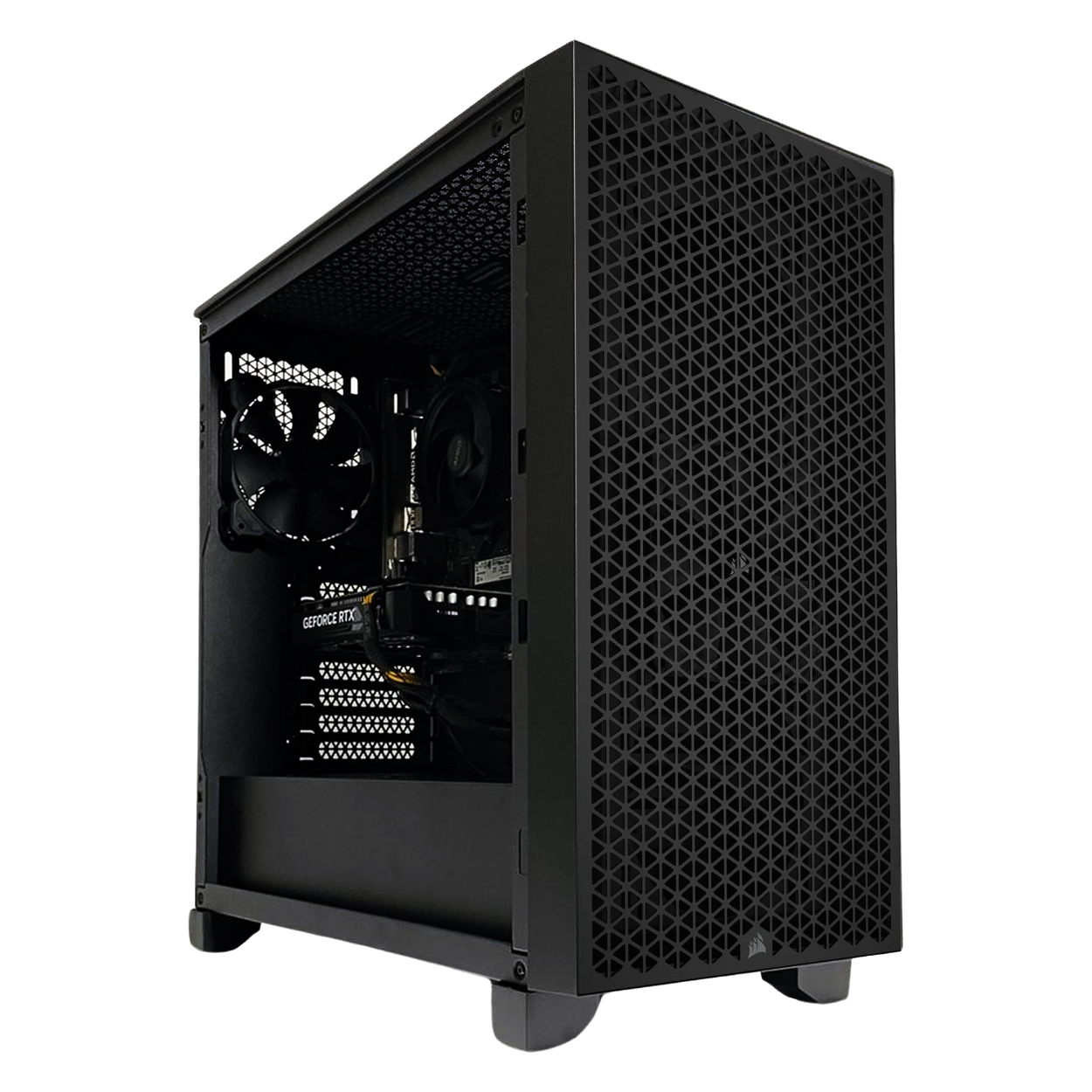
Wanting to take my systems engineering learning more seriously, I decided to build an x86 machine dedicated to learning without the fear of messing things up. While researching virtualization software, I discovered Proxmox.
Installing Proxmox is straightforward, especially for someone who has installed many major distros on bare-metal systems. The process involves downloading the latest ISO, creating a boot disk using Balena Etcher, and then following a series of prompts, choosing the target disk and locale—just like a typical Debian installation.
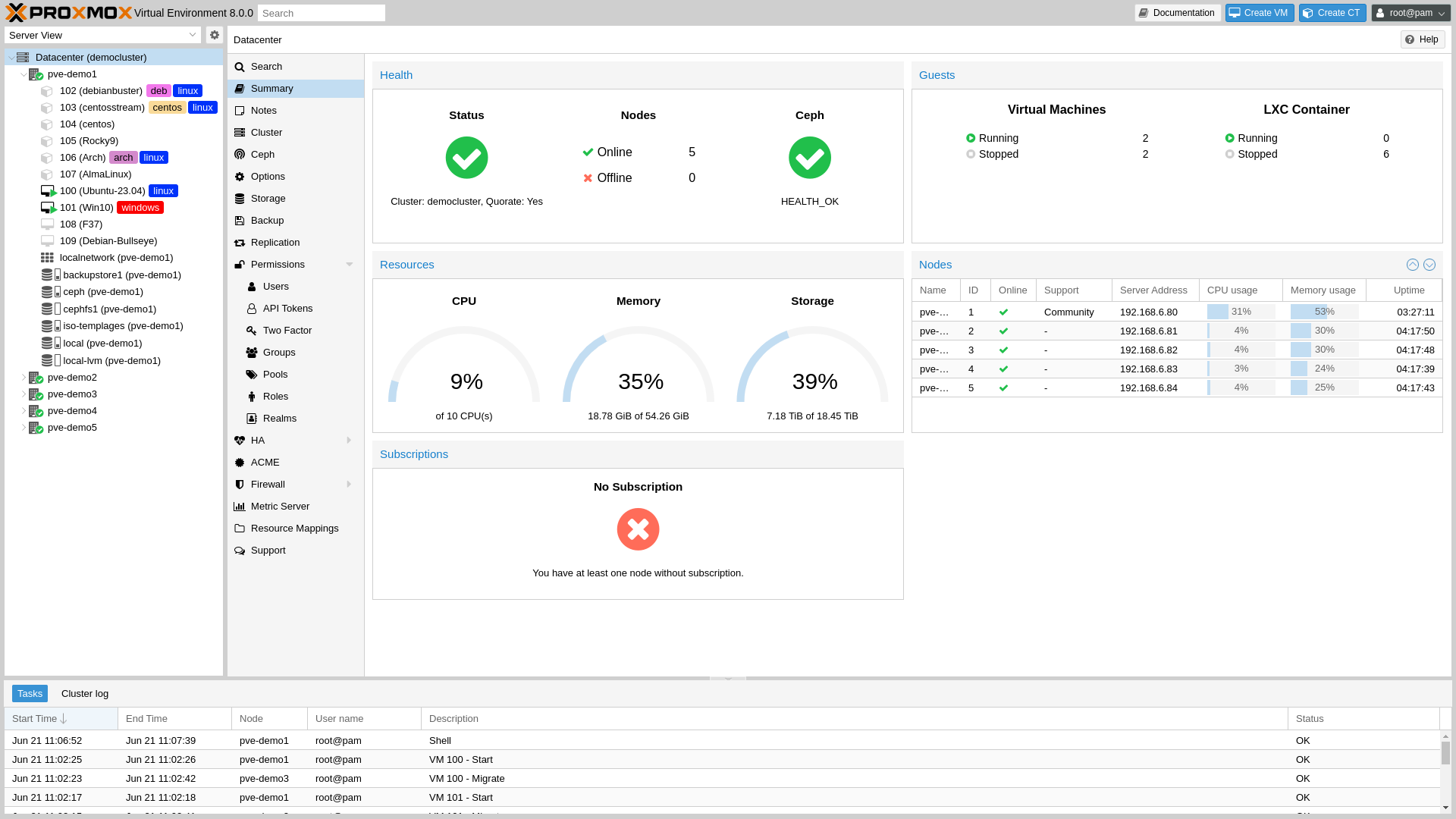
Once installed, Proxmox operates as a headless network machine. If you plug in a monitor, you’ll only see a black screen showing the host address—nothing more. The way to interact with Proxmox is through a browser on a device connected to the same local network.
For example, I open a browser on my MacBook, navigate to the host’s IP address, and am greeted by the login screen. You would have set up your username and password during installation, so just log in from there. 👍
Proxmox provides an easy-to-use dashboard that shows system load and memory usage at a glance. Creating a virtual machine is as simple as clicking “Create New VM” and uploading a suitable ISO. The real learning comes when you automate the process and manage multiple machines.
Proxmox gives you the freedom to create, break, and destroy VMs—allowing you to learn new things without sweating the small stuff. Through it, I’ve gained a wealth of systems engineering knowledge by completing small projects outside of work.
I like to create machine templates that can be reused for automated provisioning using tools like Ansible and Terraform. This simulates setting up clusters of machines that need to be pre-configured and communicate with each other.
I also create Cloud-Init images in Qcow2 format to build templates with randomized SSH keys and uninitialized hostnames, much like how Azure, AWS, or Google Cloud sets up Platform-as-a-Service (PaaS) environments.
Through Proxmox, I’ve gone through installation and configuration procedures for large, complex systems like Kubernetes. This allows me to gain valuable experience with these cumbersome tools before working on similar setups in production environments. 🖥️
If you’re serious about learning systems engineering and working with multiple machines, I highly recommend setting up a Proxmox machine. Even an older PC can suffice, although some limitations may apply—but that’s part of the research and learning process! 😄
Limited Scalability: While adequate for most users, ext4 doesn’t scale as well as newer file systems for very large volumes and large numbers of files.
Lack of Advanced Features: ext4 lacks features like snapshotting and built-in data integrity checks (e.g., checksums).
Btrfs (B-tree File System) is a modern, copy-on-write file system designed for Linux that offers advanced features like snapshots, RAID support, self-healing, and efficient storage management, making it suitable for scalable and reliable data storage.
Hammer2 is a modern, advanced file system designed for high-performance and scalable storage solutions, particularly in clustered environments. It features robust capabilities such as copy-on-write, data deduplication, and built-in snapshots, providing high data integrity, efficient storage management, and instant crash recovery.
Snapshots are read-only copies of a file system at a specific point in time, allowing users to save the state of the file system for backup and recovery purposes. They are efficient and consume minimal space, as only the differences between the current state and the snapshot are stored.
Btrfs’s implementation of RAID 5/6 is considered unstable due to issues like the write hole problem, making it less reliable for production use. Data integrity may be compromised, leading to potential data loss.
The Common Development and Distribution License (CDDL) is an open-source license created by Sun Microsystems. It is incompatible with the GPL, which can complicate integration with Linux.
Self-Healing in Btrfs works by verifying data against checksums and repairing any detected corruption using redundant data stored on other disks in a RAID configuration.
Dynamic Storage refers to the ability to manage multiple storage devices within a single file system, allowing for on-the-fly addition and removal of devices, with the file system automatically balancing data across them.
Online Resizing allows the resizing of a file system while it is mounted and in use. XFS supports growing the file system online, while Btrfs supports both growing and shrinking.
A B-tree is a self-balancing tree data structure that maintains sorted data and allows efficient insertion, deletion, and search operations. B-trees are used in file systems like Btrfs to manage metadata and data blocks.
is a method used by modern file systems to manage data storage efficiently. Instead of tracking individual fixed-size blocks, the file system groups contiguous blocks into larger units called extents.
This technique reserves a specific amount of disk space for a file in advance, ensuring that the allocated space remains available, which helps in reducing fragmentation and guaranteeing storage for large files.
Delayed allocation defers the assignment of specific disk blocks to file data until the data is flushed to disk, optimizing the allocation process and reducing fragmentation by allowing the file system to make better decisions about where to place data.
Multi-block allocation allows a file system to allocate multiple contiguous blocks at once, rather than individually, improving performance and reducing fragmentation, especially for large files.
Stripe-aware allocation is used in RAID configurations to ensure that data is distributed evenly across all disks in the array, optimizing performance by aligning data placement with the underlying stripe size of the RAID setup.
Fine-grained locking applies locks at a granular level, allowing multiple processors to concurrently access different parts of the file system, enhancing performance and scalability in multi-core environments.
RAID support includes configurations such as RAID 1 for data mirroring and RAID 1+0 for combining mirroring with striping to provide both redundancy and improved performance.
Thin provisioning allocates disk space on-demand rather than reserving it all upfront, optimizing storage utilization by only using the space actually required by data.
Asynchronous bulk-freeing performs large-scale space reclamation in the background, allowing the file system to manage deletions efficiently without impacting overall performance.
Large directory support enables efficient management of directories with a vast number of entries, using optimized data structures to ensure fast performance for directory operations.
This blog will likely be dominated by Linux talk as that is what I spend most of my time with. However, I do full-stack web development on occlusion.
In fact, I have worked as a professional web Designer/Developer on and off, doing simple full stack projects in a range of languages. Recently, I have been stepping up my game with the intention of creating web applications with great GUIs, not only information pages. I think that with mature Javascript frameworks like NextJS or React and WASM (Web Assembly), we are going to see high performance desktop applications transition to being web-apps. This potential has me excited about learning more sophisticated tools.
Golang is a dead simple systems focused language created by GOATED Unix contributors. When I started picking up Go a few years back, it was not really popular. Web development was dominated by NodeJS on the backend and there were no job posting for the skill. However, I tend to have good instincts and decided to eschew Node in favor of GO. I am very happy with this decision as it is clear, strongly typed, easy to set up and fast as hell.
You can classify me as a GO enjoyer and back-ned deployer. GO now has a built-in HTTPs service and muxer, so it is my go-to for serving static and dynamic content.
I really regret not checking out TailWind CSS earlier, it is so nice. I totally had the wrong idea and thought that it was just another annoying framework that over complicates and I was sorely wrong. It really helps in combination with GO templates to create beautiful responsive layouts. There is not much too a simple TW setup, just a simple call-out in the header. When things needs to be more expansive, one can use a config file to specify rules.
I think I will be using a lot more TW in the future.
I am not a major fan of JS because I am a fan of simplicity, alas it is the language of the Web, so I must tango with wild syntax. Most web experiences require reactive interaction and content delivery. I am not locked into react as there are so many similar frameworks, but I am saying it is a must in ones stack.
Having a customizable proper IDE is important for getting things done. As much as I like learning Vim, Helix, or even Sublime, I know that no-matter the level of configuration it wont even come close to a proper IDE that lints, detects bugs, has a large ecosystem of plug-ins and comfy features like workspaces and built in problem console. If you just want to make stuff, then reduce your cognitive overhead and utilize a user friendly IDE.