ProLUG Admin Course Capstone Project Stage 3 🐧
Intro 👋
A progress update regarding the ProLUG website that improve useability
Info Pop-up
I wanted to add additional information to the site while maintaining a clean layout, predictable and comprehensible design. This is not only my personal aesthetic taste, this is a feature of accessibility. Websites with tons of information, many levels of contrast and or layouts are not only difficult for the visually impaired, but confusing for people suffering from cognitive impairment. I try to use inclusive design in accordance with WCAG guidelines on any project I am working on. So this leads me to the objective, to create a pop up design with additional information. I started with one of the more confusing features of the site, the verification input. When getting started, I wasn’t sure if it would be possible to accomplish this with TailwindCSS, so it took a bit of reading to confirm. It turns out this is completely possible using tailwind as evidence by the code snippet.
Design Details
I would like to convey about the design choices as
- Simple prominent button with high contrast.
- Semi transparent background to denote this is a temporary overlay
- Large text
- Short, straightforward descriptions
- Differing colors for open and close to further indicate the state.
Verification entry box with question mark button

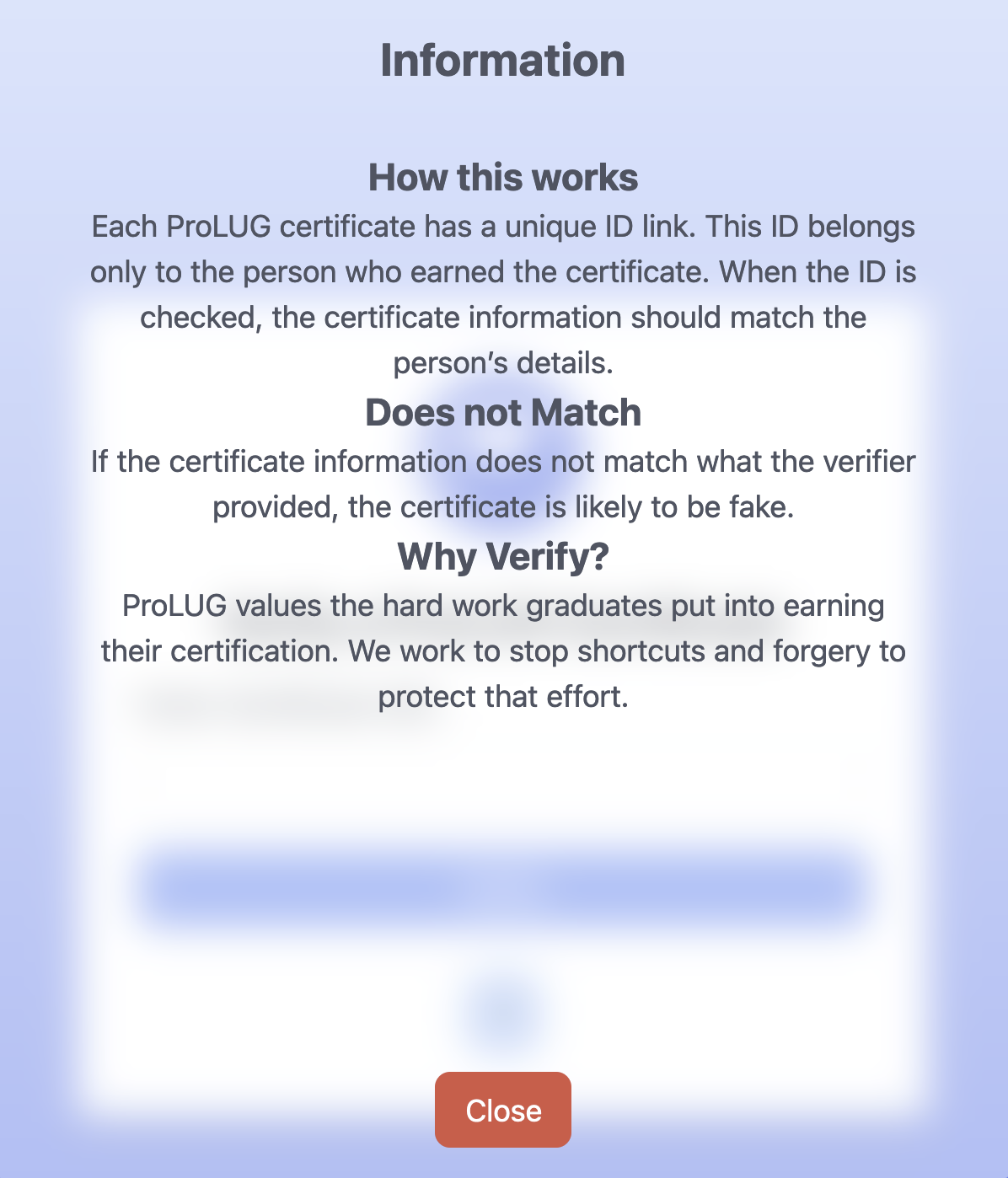
Associated pop-up
<details class="open">
     <!-- Button to be visible -->
        <summary class="bg-blue-300 rounded-xl inline-block px-4 py-2 text-xl hover:bg-blue-500 hover:duration-300 hover:text-white cursor-pointer">
                        ?
        </summary>

    <!-- Content will be hidden until the user clicks on the summary button. -->
        <div class="bg-white bg-opacity-50 backdrop-blur-md rounded-sm w-[100%] h-[100%] max-w-[600px] max-h-[700px] my-auto mx-auto absolute inset-0 text-gray-600 p-4">
        <h1 class="text-2xl font-bold">Information</h1>
        <div class="m-8"><h2 class="text-xl font-bold">How this works</h2><p>Each ProLUG certificate has a unique ID link. This ID belongs only to the person who earned the certificate. When the ID is checked, the certificate information should match the person’s details. </p>
        <h2 class="text-xl font-bold">Does not Match</h2><p>If the certificate information does not match what the verifier provided, the certificate is likely to be fake.</p>
        <h2 class="text-xl font-bold">Why Verify?</h2><p>ProLUG values the hard work graduates put into earning their certification. We work to stop shortcuts and forgery to protect that effort.</p></div>
    <!-- Close button positioned at the bottom and centered -->
        <div class="absolute bottom-4 left-1/2 transform -translate-x-1/2">
            <button class="bg-red-500 text-white px-4 py-2 rounded-lg hover:bg-red-700"
                onclick="this.closest('details').removeAttribute('open');"> Close </button>
        </div>
    </div>
</details>
Todo
ProLUG Links ⛓️
Discord: https://discord.com/invite/m6VPPD9usw Youtube: https://www.youtube.com/@het_tanis8213 Twitch: https://www.twitch.tv/het_tanis ProLUG Book: https://leanpub.com/theprolugbigbookoflabs KillerCoda: https://killercoda.com/het-tanis