ProxMox for the win 🏆
Intro 👋
Proxmox is a free, open-source virtualization host built on top of Debian. It can run both virtual machines (VMs) and Linux containers, offering a wide array of features. 🚀
I’m always learning new systems and software. Before using Proxmox, I was repeatedly installing and reinstalling Unix systems on an old laptop. This helped me understand installation, configuration, and a host of other things—but it was very tedious and inefficient. That laptop was underpowered, so running multiple VMs was out of the question. I needed a multicore x86 machine with ample memory to achieve this.
Wanting to take my systems engineering learning more seriously, I decided to build an x86 machine dedicated to learning without the fear of messing things up. While researching virtualization software, I discovered Proxmox.
Installation 🛠️
Installing Proxmox is straightforward, especially for someone who has installed many major distros on bare-metal systems. The process involves downloading the latest ISO, creating a boot disk using Balena Etcher, and then following a series of prompts, choosing the target disk and locale—just like a typical Debian installation.
Accessing Proxmox 🌐
Once installed, Proxmox operates as a headless network machine. If you plug in a monitor, you’ll only see a black screen showing the host address—nothing more. The way to interact with Proxmox is through a browser on a device connected to the same local network.
For example, I open a browser on my MacBook, navigate to the host’s IP address, and am greeted by the login screen. You would have set up your username and password during installation, so just log in from there. 👍

The Dashboard 📊
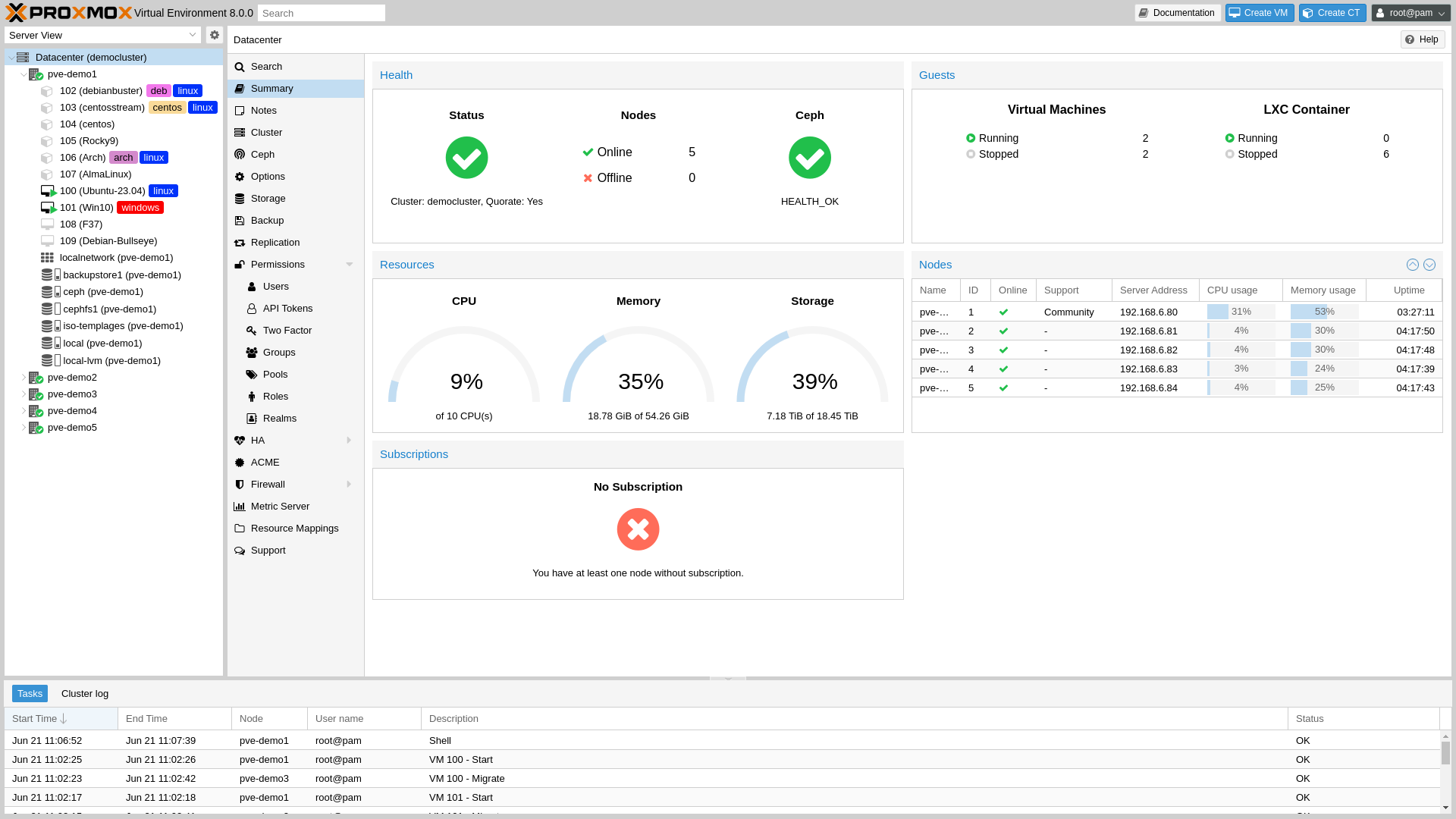
Proxmox provides an easy-to-use dashboard that shows system load and memory usage at a glance. Creating a virtual machine is as simple as clicking “Create New VM” and uploading a suitable ISO. The real learning comes when you automate the process and manage multiple machines.
Learning Platform 🎓
Proxmox gives you the freedom to create, break, and destroy VMs—allowing you to learn new things without sweating the small stuff. Through it, I’ve gained a wealth of systems engineering knowledge by completing small projects outside of work.
I like to create machine templates that can be reused for automated provisioning using tools like Ansible and Terraform. This simulates setting up clusters of machines that need to be pre-configured and communicate with each other.
I also create Cloud-Init images in Qcow2 format to build templates with randomized SSH keys and uninitialized hostnames, much like how Azure, AWS, or Google Cloud sets up Platform-as-a-Service (PaaS) environments.
Through Proxmox, I’ve gone through installation and configuration procedures for large, complex systems like Kubernetes. This allows me to gain valuable experience with these cumbersome tools before working on similar setups in production environments. 🖥️
In Summary 📝
If you’re serious about learning systems engineering and working with multiple machines, I highly recommend setting up a Proxmox machine. Even an older PC can suffice, although some limitations may apply—but that’s part of the research and learning process! 😄